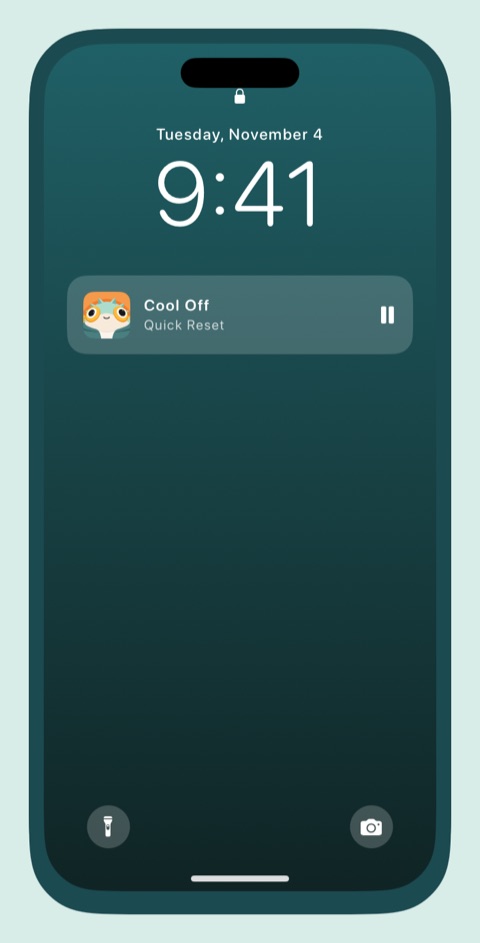
 Cool Off

Help and support
Start with Siri from the Lock Screen
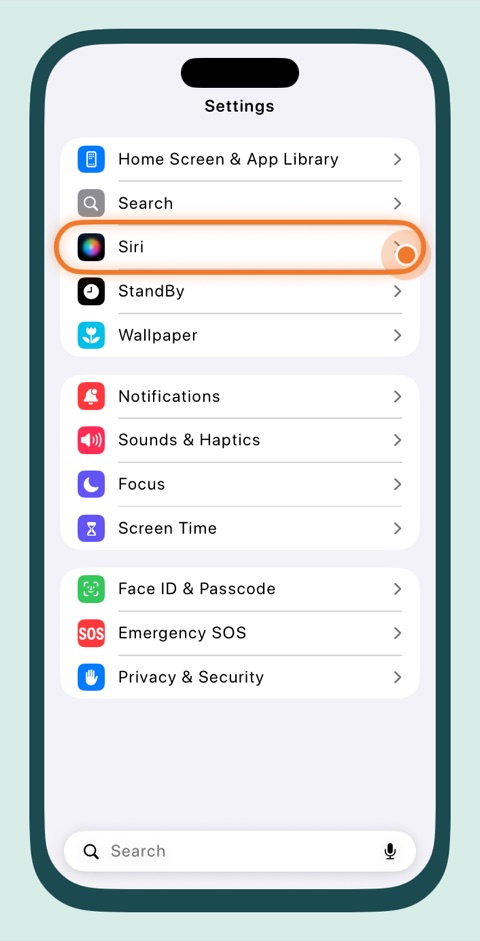
Open the iPhone's Settings app and tap Siri.
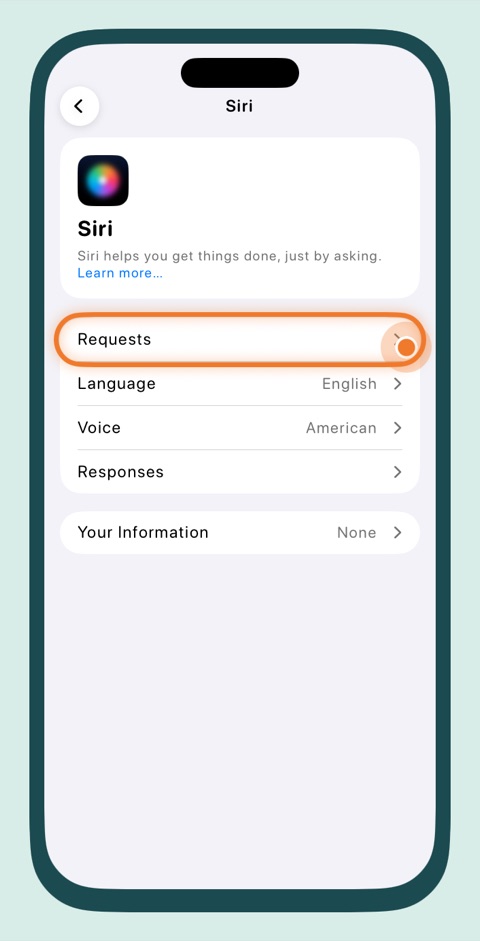
Tap Requests.
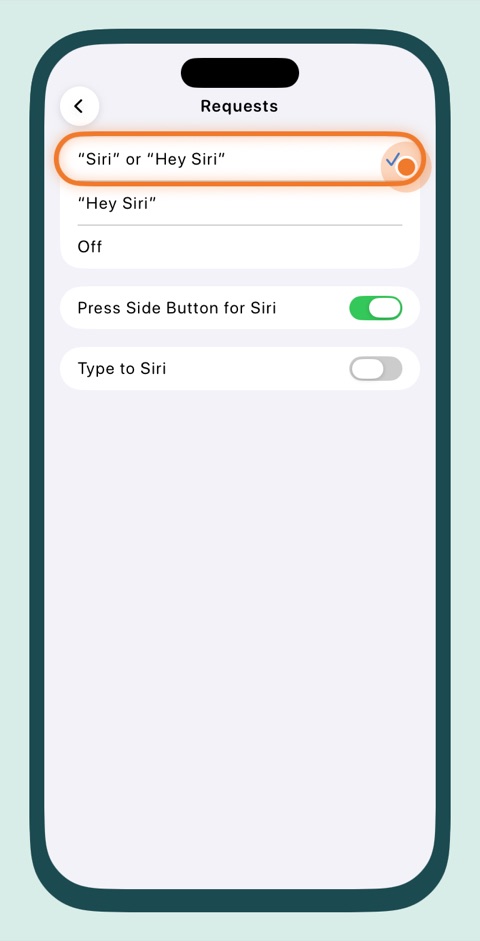
Choose “Siri” or “Hey Siri”.
If Siri asks, say the sample phrases so it learns your voice.
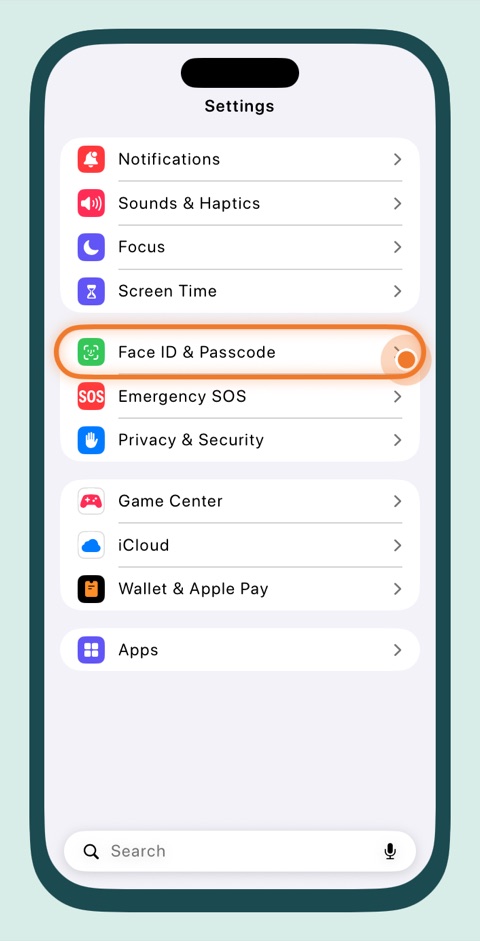
Go back to Settings, tap Face ID & Passcode and enter your passcode.
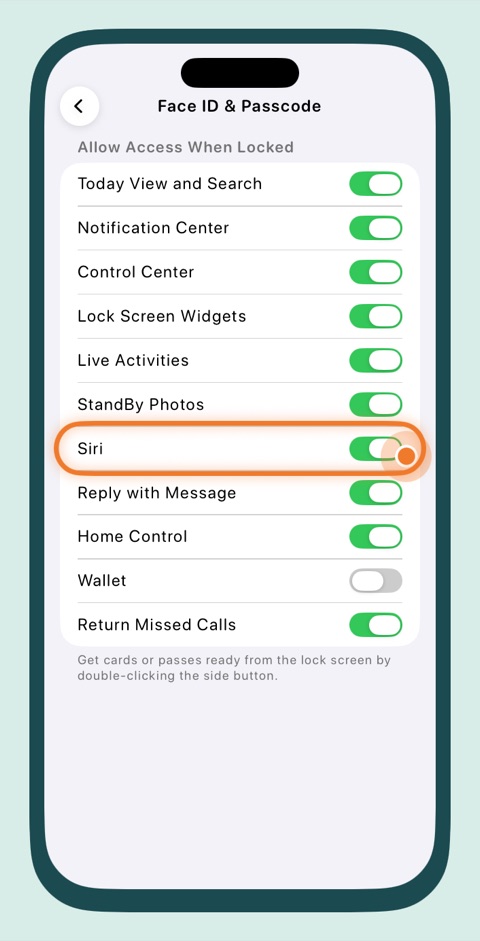
Under Allow Access When Locked, turn on Siri.
Without this, Siri waits for you to unlock the phone.
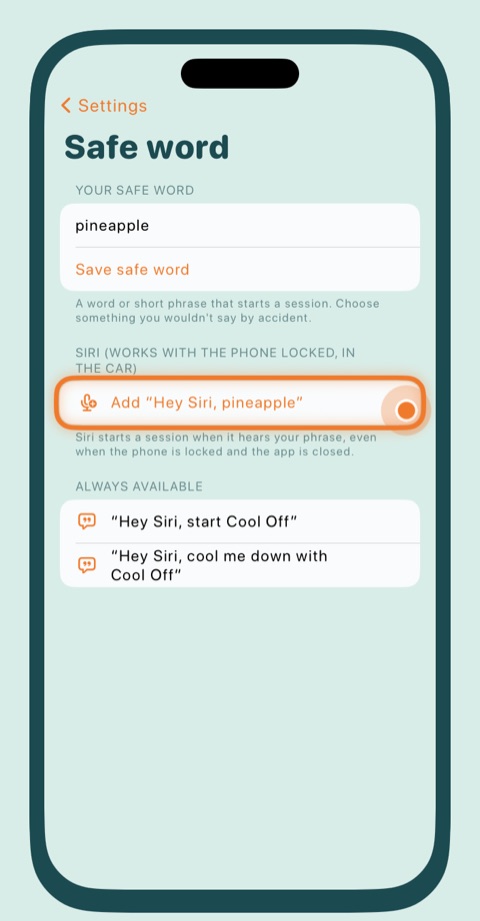
In Cool Off, add your own phrase if you want one.
Settings › Safe word › Add. Allow Siri if the phone asks. “Hey Siri, start Cool Off” works without this.
Lock the phone and say “Hey Siri, start Cool Off”.
Or your own phrase. The phone stays locked.
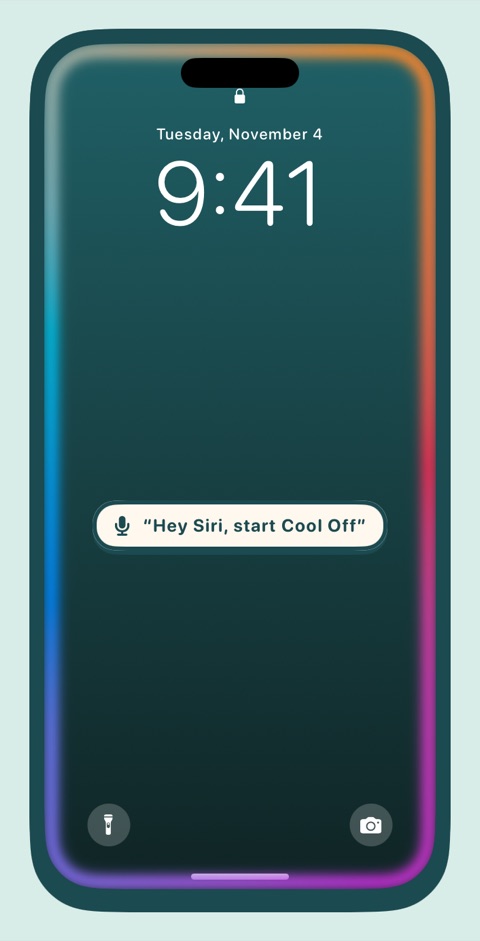
The voice starts without unlocking.
To end it, say “Hey Siri, stop Cool Off” or use the controls on the Lock Screen.